The TMS for Ontario fleets

One load. Every step. One place.

LaneOne drafts the work and you check it. A load runs from the rate con to dispatch, the cab, the invoice and the pay run, on one screen your whole office shares.

02 · Take it apart

Dispatch, tracking and paperwork.

01 Cab · Dispatch

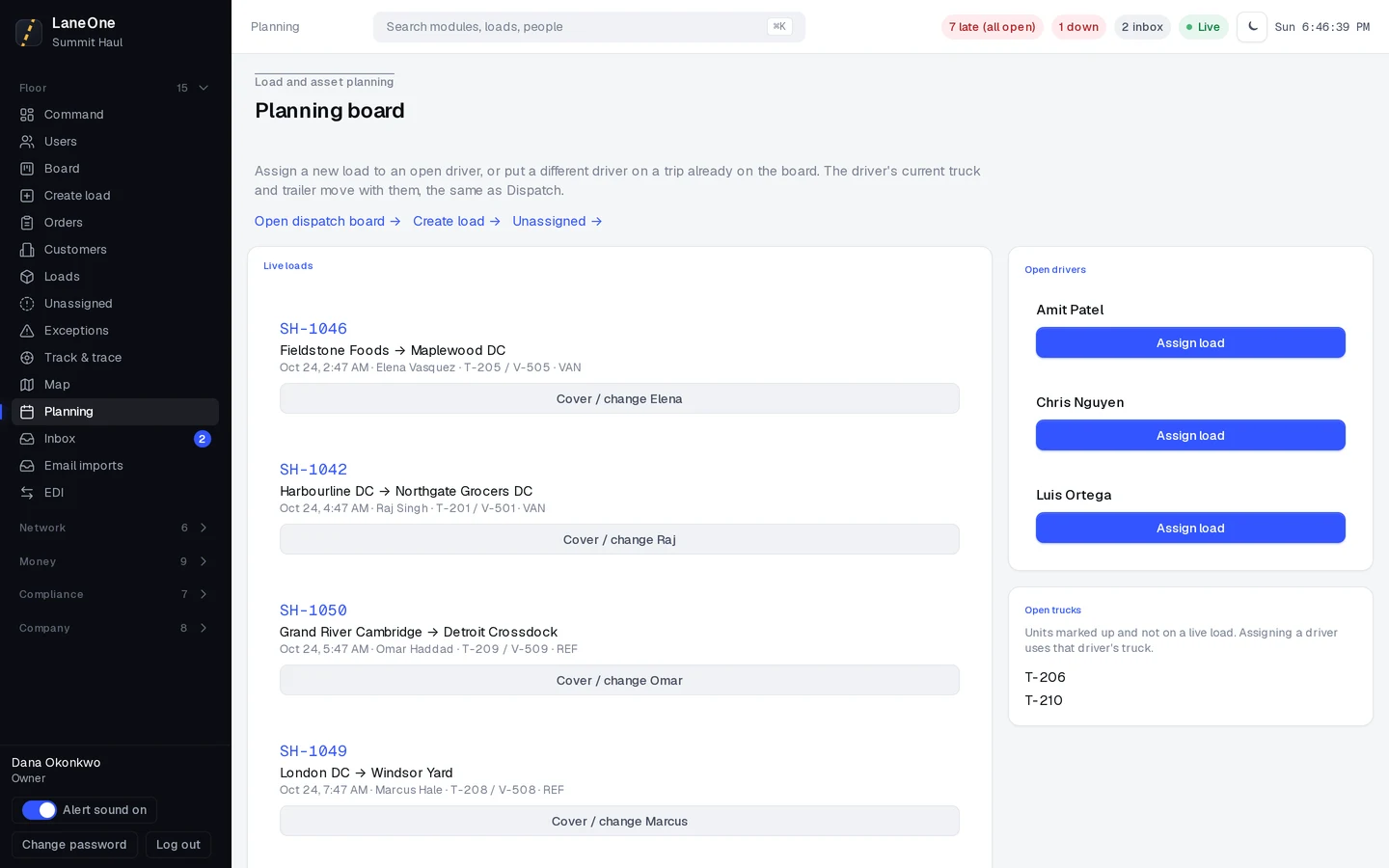
Assign it. It’s on their phone.

Pick the driver on Planning. The truck and trailer go with them, and the trip lands in the Driver app with every stop.

02 Reefer · Live tracking

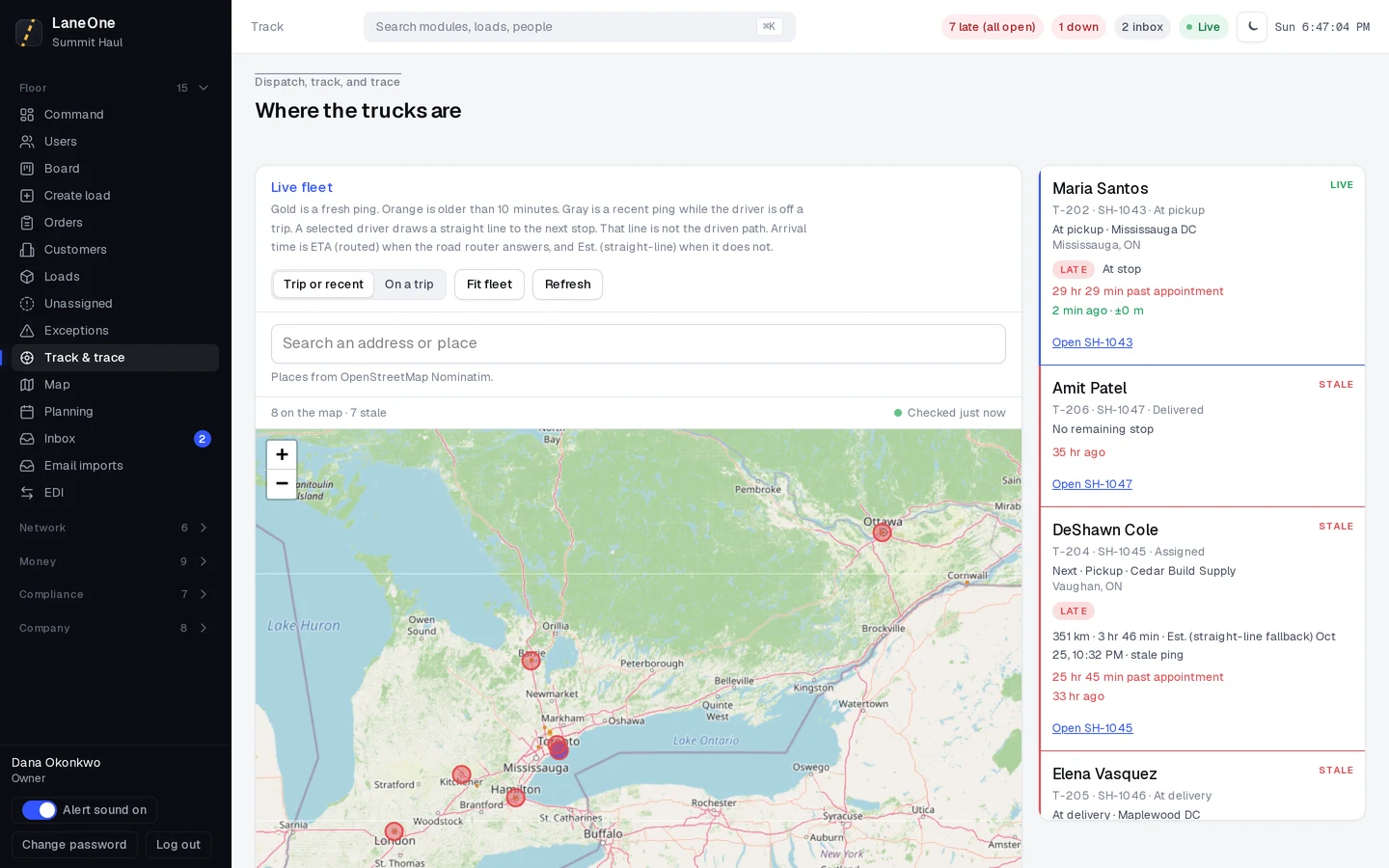
Know where it is without calling.

Fresh pings and a routed ETA on Track & trace. The Exceptions tab flags anything running late.
03 Load · Documents

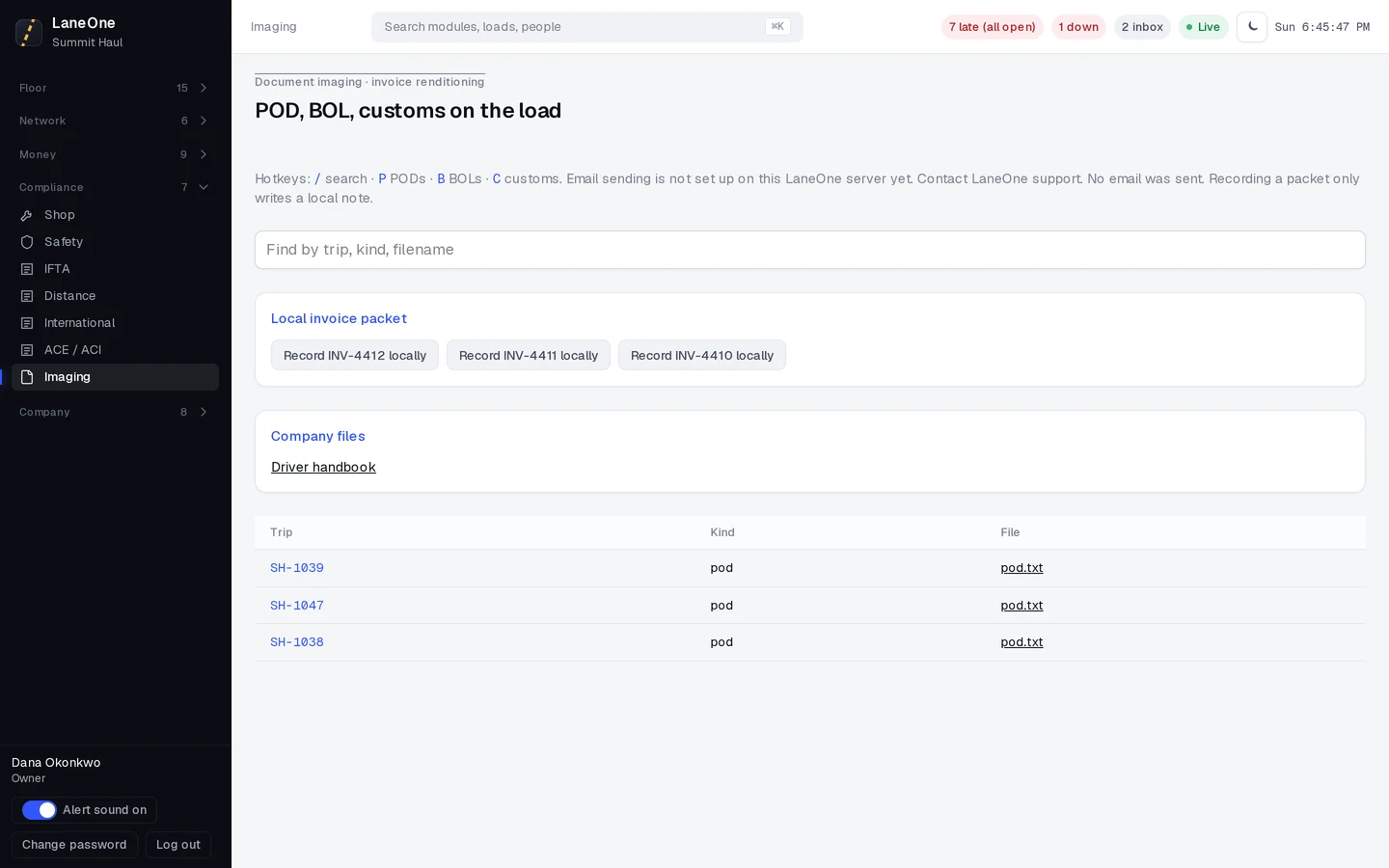
Every paper, filed to the load.

BOL, POD and customs papers land on the load straight from the driver’s phone.

03 · Ride the lane

Every mile of the 401.

Windsor to London.190 km of the 401, with a fresh ping every few seconds.
Border, pre‑cleared.ACE and ACI e-Manifests are drafted before the booth.
Door 7. On time.The arrival fence trips and the customer link says Delivered.
SH-1039 · Rolling0 kmETA 14:15

04 · Rate con to load

Drop the rate con. It’s a load.

Upload the PDF or forward it to your imports inbox. LaneOne reads the stops, dates and rate into a draft you check.

Rate confirmationLoad # SH-1039Issued Oct 23
Bill toNorthgate Foods Ltd.Net 30 · fuel surcharge applies
Stop 1 · Pick upWindsor, ONMon Oct 26 · 08:00
Stop 2 · DeliverLondon, ONMon Oct 26 · 14:30
Equipment53′ dry van · 18,400 lb · 22 pallets
Linehaul$2,450.00
Fuel surcharge$450.00
HST 13% (ON)$377.00
Total due carrier$3,277.00
Carrier signature

CONFIRMED

Scanning page 1 of 10%
Create loadLaneOne · office
Create load · DraftSH-1039 · Northgate Foods
Reading SH-1039.pdf
Customerfrom PDF
Pick upfrom PDF
Deliverfrom PDF
Equipmentfrom PDF
Linehaulfrom PDF
Fuel surchargefrom PDF
HST 13%from PDF
Totalfrom PDF
0 of 8 fields filled from the PDFApprove load

✓Load SH-1039 created from the PDF

05 · After delivery

POD in. Invoice out.

  1. The driver taps Send POD.

    Photo, signature and location, straight from the delivery screen.

  2. POD received. The office knows.

    The load flips to Delivered and the office gets a notice.

  3. The invoice builds itself.

    Line items fill in from the load and its rate con.

  4. Three papers, one email.

    Rate con, POD and invoice go out together as PDFs.

  5. Sent. Nobody clicked.

    Auto-send is on by default. Each load is emailed once, never twice.

06 · Track & trace

Know where it is without calling.

Every truck on one live map, with fresh pings and a routed ETA. The customer gets a tracking link, no login needed.

SH-1039 · Windsor to LondonOn time
0 / 190 kmETA 14:15Last ping 8sCustomer link sent

07 · The apps

The office plans it. The phones run it.

A Driver app for the cab and a Staff app for the office. What they send lands on the same load and the same timesheet your office sees. Both come with every plan.
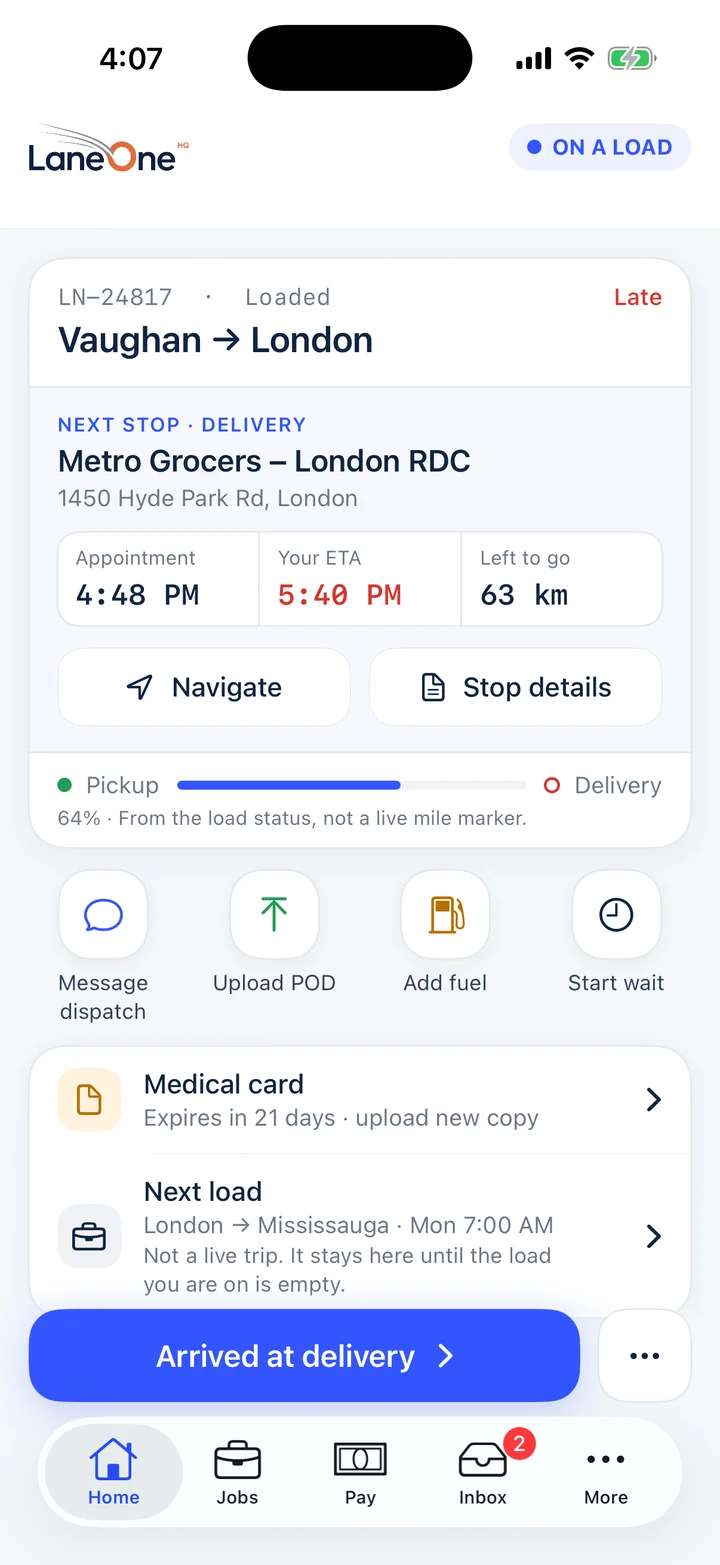
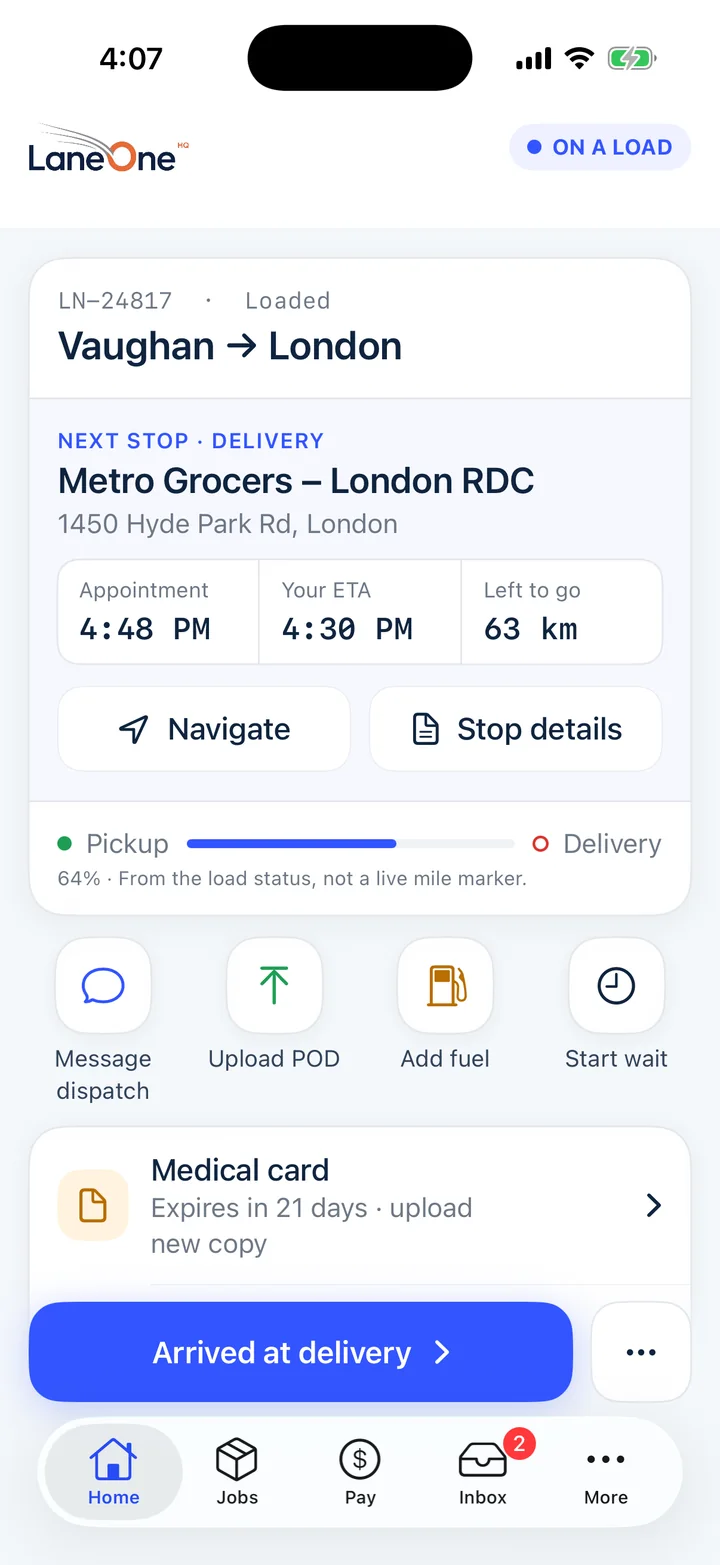
LaneOne Driver on iPhone: the same load running late, with the ETA in red and the next load queued
LaneOne Driver on iPhone: next stop Metro Grocers in London, appointment 4:48 PM, ETA 4:30 PM, 63 km to go, with Navigate, Message dispatch, Upload POD, Add fuel and Start wait

Real iPhone app screens, sample load

LaneOne Driver · iPhone app

The load, the stop and the paperwork. One thumb.

Next stop, appointment, ETA and kilometres left are the first thing a driver sees. One tap to navigate, message dispatch or send the POD.

  • Accept or declineOffered loads land on the phone. The answer lands on your board.
  • POD from the cameraPhoto and signature, sent from the dock.
  • Fuel receipts read for themSnap the slip. The phone fills the form for the driver to check.
  • Dispatch in one inboxDelays, breakdowns and documents in threads, not texts.
  • Pay they can seeStatements are view only. A wrong line can be disputed from the phone.
  • Dead zones are fineStatus taps and PODs wait on the phone and send when signal is back.

Not on the App Store yet. Until it is, and on Android, drivers use the web Driver app in the phone's browser at app.LaneOneHQ.com/driver. Fuel receipt reading is iPhone only.
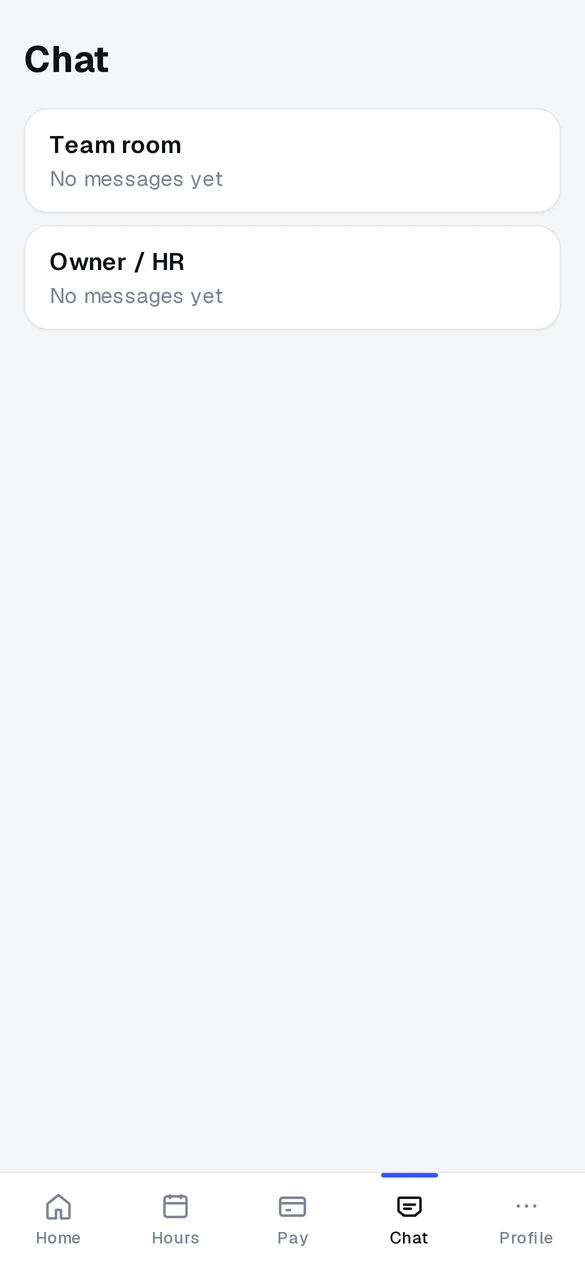
LaneOne Staff: the Team room and a private Owner and HR chat
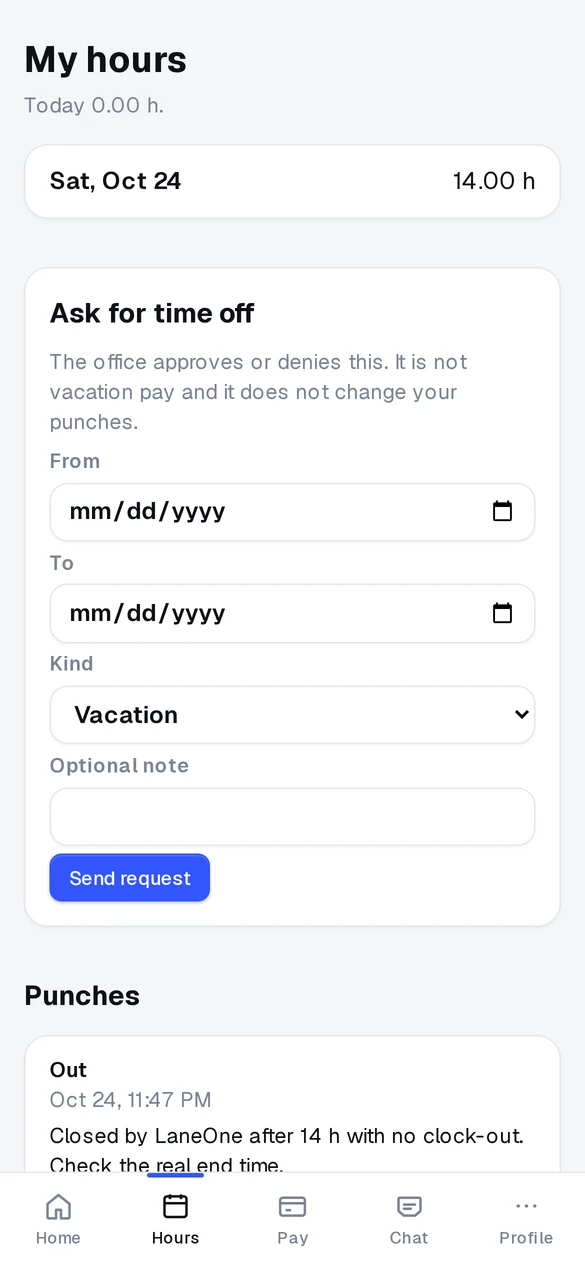
LaneOne Staff: my hours, punches and a time-off request button
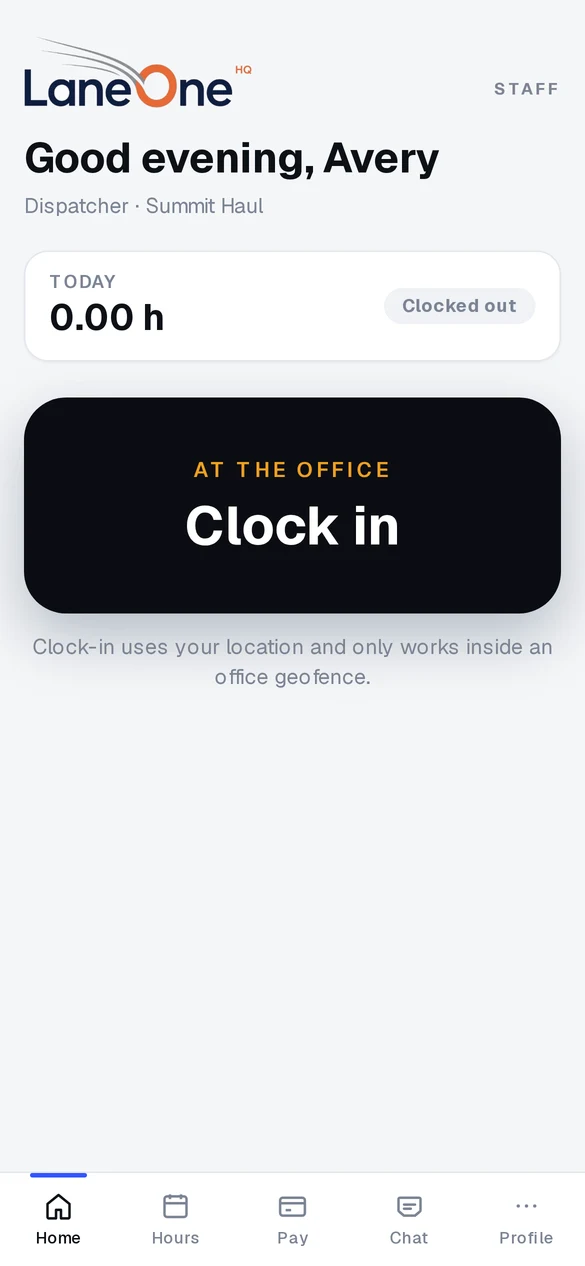
LaneOne Staff: clock in at the office, which works only inside the office geofence

Real Staff app screens, sample company

LaneOne Staff · any phone, from the browser

Clock in at the office. Not from the couch.

For dispatchers and office staff. It opens in the phone's browser and saves to the home screen like an app.

  • Clock-in by geofenceOnly works inside the office circle, 150 m by default. The server checks, not the phone.
  • Hours and time offPunches, weekly hours and time-off requests in one place.
  • Team room and HRA team chat, plus a private line to the owner or HR.
  • Forgot to clock out?The shift closes at your limit and is flagged for the office to fix.
  • Not an ELD · no hours-of-service clock
  • Driver location · only while a trip is active
  • Pay · view only, the office owns it

Integrations

Plugs into the tools you already use.

QuickBooks, Samsara, tracking and EDI are on Growth and up. Ask us on the demo which ones fit your setup.

QuickBooks OnlineInvoices post when sent and synced

Sage 50Accounting export

BorderConnecte-Manifest submission

SamsaraGPS pings and fences

MotiveGPS pings and fences

ORBCOMMReefer and trailer pings

FourKitesLoad status for shippers

project44Load status for shippers

Breakthrough FuelFuel surcharge program

TwilioText messages

ResendCustomer status emails

Shipper EDI204 · 990 · 214 · 210 · 997

Apple pushDriver and Staff app alerts

OpenStreetMapMap tiles

Phone GPSBuilt into the Driver app

Plans

Pick the size. Grow into the rest.

One flat monthly price per plan. No contract. Free setup. Prices in CAD, plus HST.

Founding price

Starter

A small fleet leaving the spreadsheet.

$150 / month $190

Up to 10 trucks. One flat price. Locked for 12 months. Then $190/month.

  • 3office users
  • 10drivers
  • 10trucks
  • 50 GiBstorage
  • Dispatch board, loads and orders
  • Drivers, vehicles and POD
  • Office map and phone GPS
  • Medical-card expiry block on assign
Start free trial

Founding priceMost fleets start here

Growth

The fleet that has outgrown a whiteboard.

$490 / month $690

Up to 50 trucks. One flat price. Locked for 12 months. Then $690/month.

Includes payroll, QuickBooks and the border desk.

  • 10office users
  • 50drivers
  • 50trucks
  • 200 GiBstorage
  • Everything in Starter
  • Payroll and invoices
  • QuickBooks
  • Samsara
  • Customer tracking link
  • Safety events desk
  • Border desk, ACE and the international worksheet
  • EDI from a pasted 204 (no VAN)
Start free trial

Founding price

Fleet

Several terminals, one office system.

$1,250 / month $1,750

Up to 250 trucks. One flat price. Locked for 12 months. Then $1,750/month.

  • 40office users
  • 250drivers
  • 250trucks
  • 500 GiBstorage
  • Everything in Growth
  • Higher caps for office users, drivers and trucks
  • More storage for documents, POD and chat
Start free trial

Enterprise

A large carrier with divisions.

Custom quote

For 250+ trucks or several divisions.

  • 500office users
  • 5,000drivers
  • 5,000trucks
  • 1 TiBstorage
  • Everything in Fleet
  • Divisions
  • Commissions
  • Raised caps, month to month
Talk to us
  • Built for Ontario fleets
  • Canadian payroll deductions, CPP, EI and tax
  • Driver and Staff apps on every plan

7-day free trial, no card. Free setup and data import. Founding price for our first 25 fleets.

Annual billing: 2 months free (not combined with the founding price).

Not an ELD. IFTA filing not included.

No contract: cancel anytime with 30 days’ notice. A zip of the export tables stays available for 30 days after the contract ends.

Your next load, on one screen.

See it with your own lanes. We’ll set up a demo company and walk your dispatcher through it.

Prefer email? info@laneonehq.com

We use these details only to set up your demo. See our privacy policy and terms.

Already a customer? Sign in

LaneOne is not an ELD and doesn’t record hours of service. It doesn’t file IFTA or remit payroll; it gives you the drafts and estimates.